
Session recording for WordPress.
Add GetSiteTape with a free header-code plugin. You do not edit any theme files, and the snippet stays in place when you change or update your theme.
Free for 1,000 replays a month. No card needed.
Before you start
Have your snippet ready.
Every site you add to GetSiteTape gets its own snippet, with its key filled in. It is the same one line on every platform.
- A GetSiteTape account, with your site added. The free plan is enough.
- An administrator login for your WordPress site
<!-- GetSiteTape -->
<script async
  src="https://cdn.getsitetape.com/getsitetape.js?sid=YOUR_KEY">
</script>
Your own snippet, with your key in place of YOUR_KEY, is in the dashboard.
Install GetSiteTape on WordPress, step by step.
-
Step 1 of 4
Install the WPCode plugin
In your WordPress admin, go to Plugins → Add Plugin (older versions call it Add New) and search for WPCode. Click Install Now, then Activate. Any header and footer code plugin works the same way, and so does a theme that has its own box for header scripts.
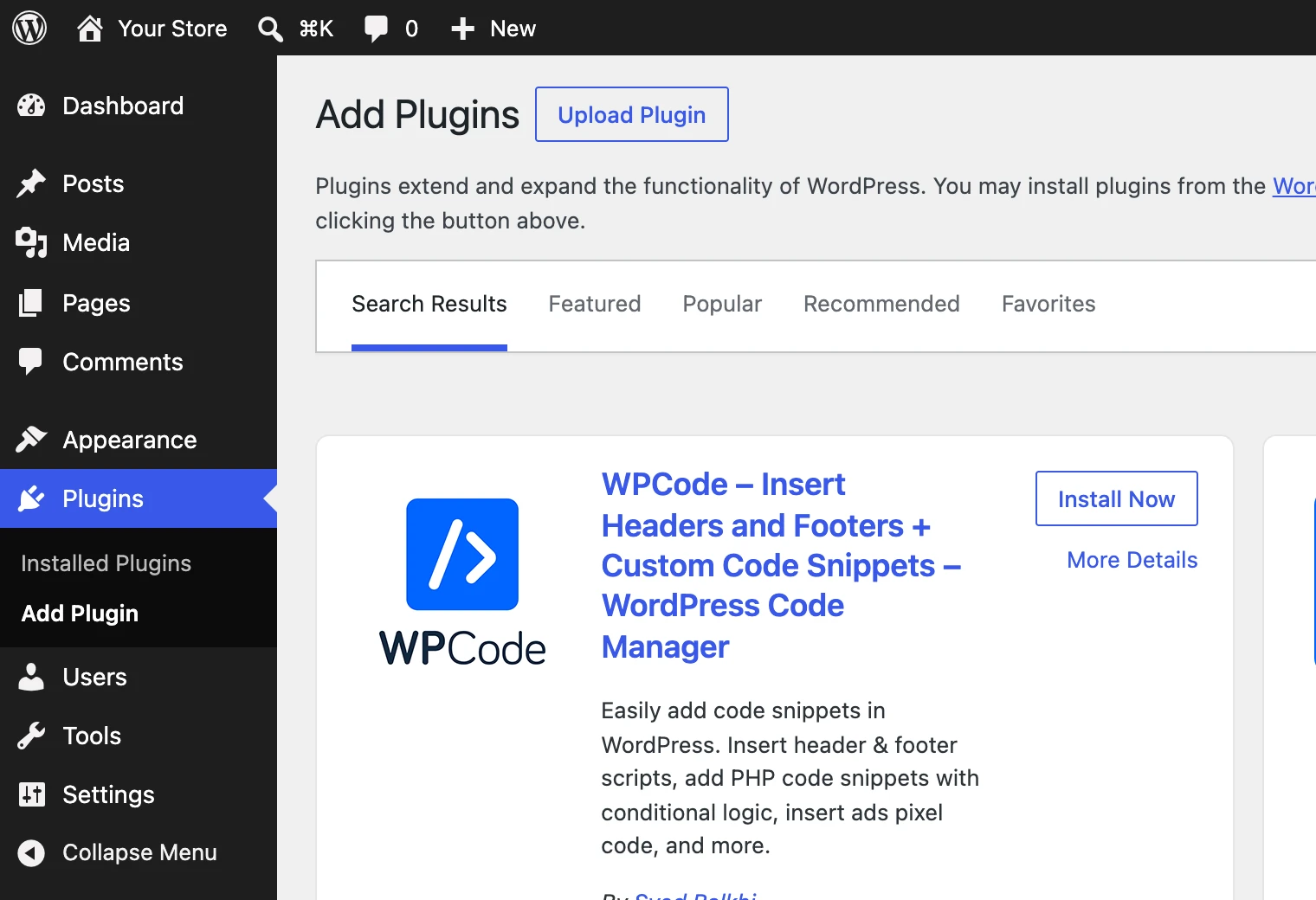
Screenshot: WordPress, Plugins, Add Plugin -
Step 2 of 4
Open Header & Footer
In the admin menu, open Code Snippets → Header & Footer. This is the screen WPCode adds for code that belongs on every page.
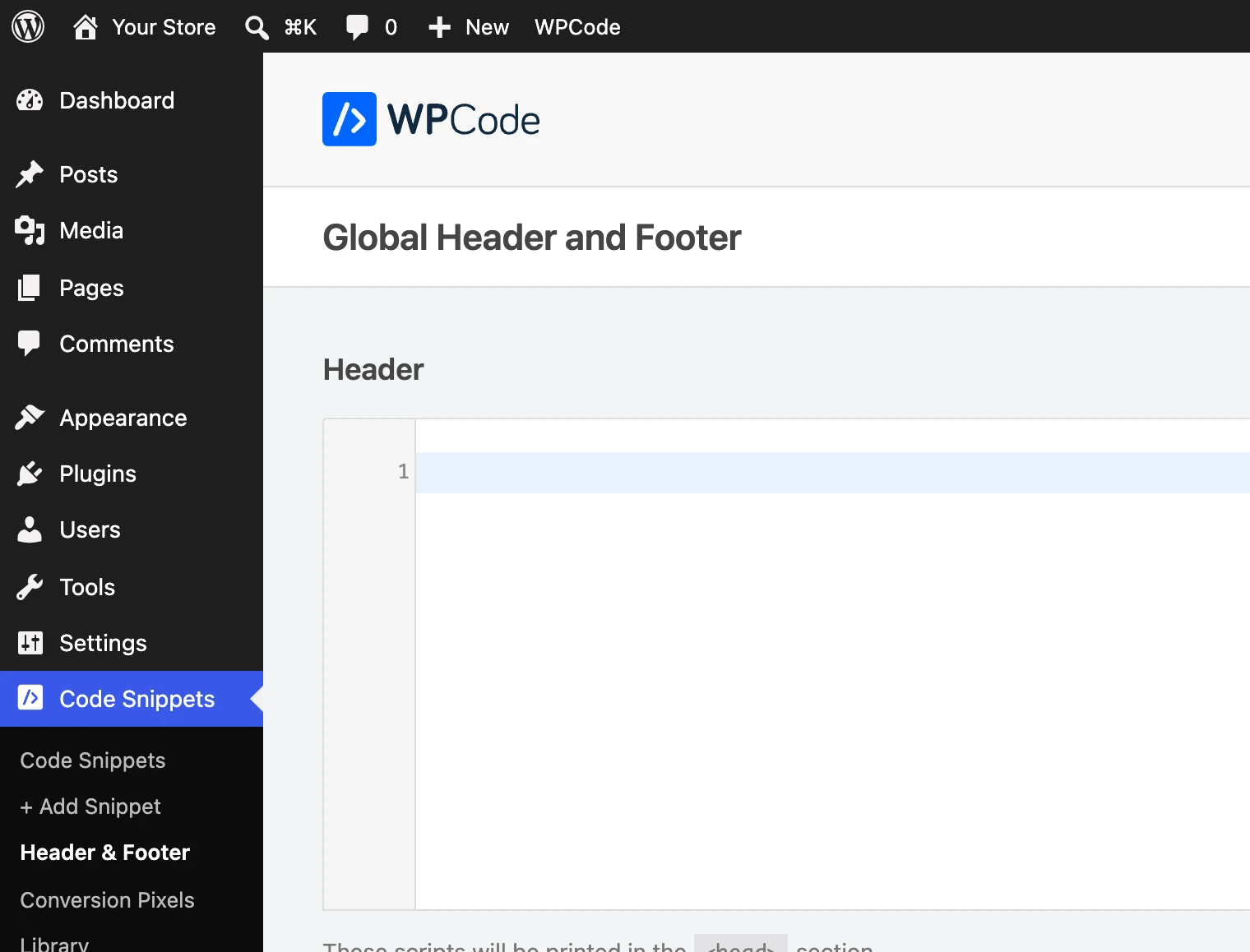
Screenshot: WPCode, Header & Footer -
Step 3 of 4
Paste the snippet into the Header box
Paste your GetSiteTape snippet into the Header box, the first of the three, and click Save Changes. WordPress now prints it inside
<head>on every page.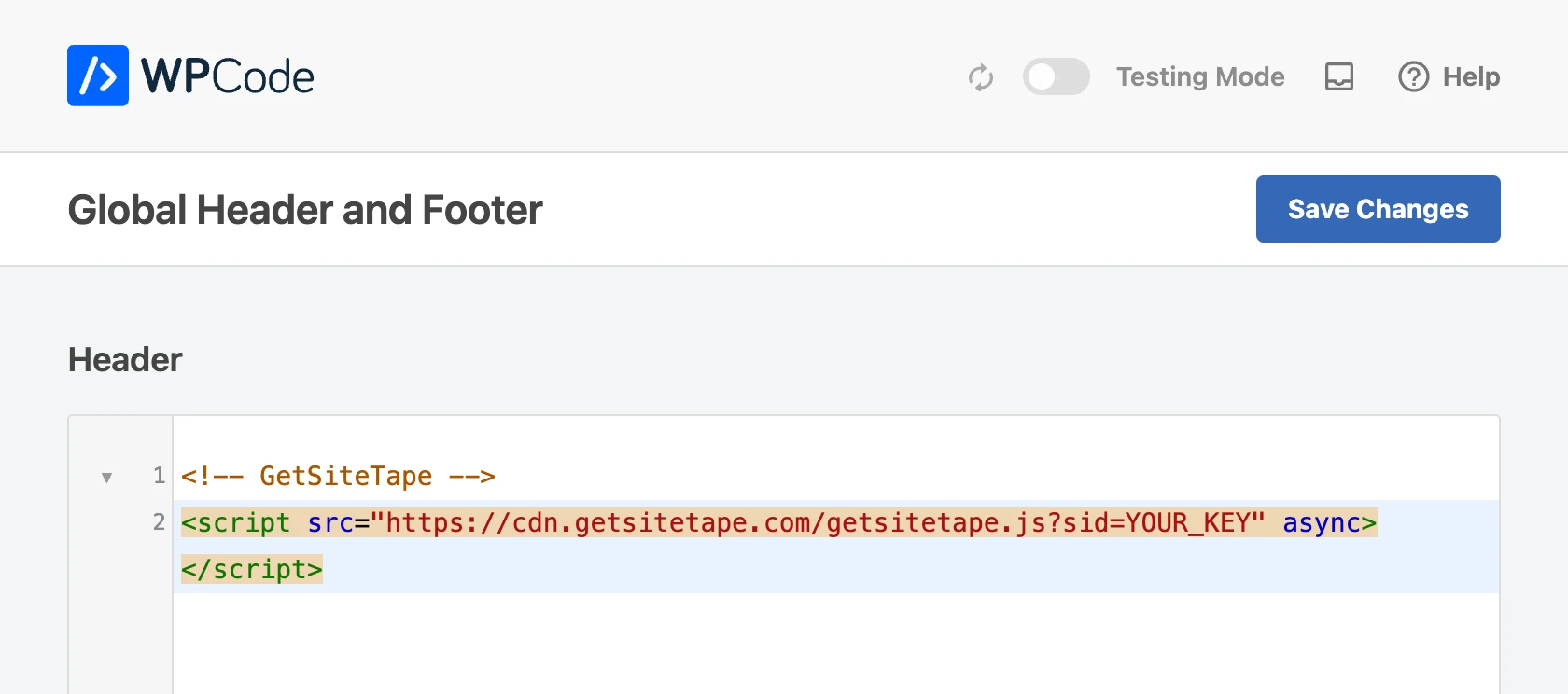
Screenshot: WPCode, the Header box -
Step 4 of 4
Visit your site
Open your site in a new tab and click around. If you use a caching plugin, clear its cache first, so visitors are served pages that include the snippet. Your first recording appears in the dashboard about ten seconds later, and the site's status changes to Installed.
Installed · first data received 12 seconds agoDesktop · Direct · 2 pagesExample data
Good to know on WordPress.
How to check that it is recording, and the things that are particular to WordPress.
Stuck? Ask us for setup helpSee that it is working
Add ?wsr_diagnostics=true to any address on your site. A small console opens and says what the recorder is doing.
Nothing after a minute?
Open your page's source and search for getsitetape. If it is missing, the snippet was not saved or published. If it is there, check that the address you added in the dashboard is the one you are visiting.
WooCommerce is covered
A WooCommerce shop is part of the same WordPress site, so the one snippet records the shop, product, cart and checkout pages as well.
Leave your own team out
Your visits while logged in to WordPress are recorded like anyone else's. Exclude your team by IP address or with a cookie in your site's settings in the dashboard.
No plugin wanted?
A developer can print the snippet from the theme's header.php or a wp_head hook instead. A plugin is simply the route that survives theme updates.
On another platform?
The same snippet installs anywhere you can paste a script tag. There is a guide for each of these.
Watch your first visitor today.
Free for 1,000 replays a month. No card needed. Setup takes about a minute.
See it on yourself 0:00
This page has kept track of your pointer and scrolling in your browser, and only there. Nothing was sent anywhere. Press the button to watch the replay.